



Marketing collateral is every branded piece, printed or digital, that helps a prospect understand and choose your company. The list below sorts it by format and by buyer stage, so your team can see what to build first. It also shows why video and photography, the two formats that carry the most emotion and proof, deserve a place near the top.
TL;DR
- Marketing collateral covers any branded material that informs prospects or supports sales: brochures, decks, case studies, videos, emails, event signage and more.
- Build by buyer stage: awareness pieces educate, consideration pieces prove expertise, decision pieces give buyers what they need to say yes internally.
- Video and photography do the work of several pieces at once. One shoot can feed your website, sales emails, social posts and event screens.
- Consistency matters more than volume. Brand guidelines keep every piece recognizable across print, web and events.
- Start with a short core set, then add event and campaign pieces as your calendar requires.
Table of Contents
- What marketing collateral is and what it does
- The marketing collateral list by format
- The list by buyer stage
- Sales collateral examples
- Event collateral examples
- Why video belongs near the top of the list
- Designing collateral that works
- How to build your own marketing collateral list
- Where we help with your collateral
- Our perspective
- FAQ
- Sources
What marketing collateral is and what it does
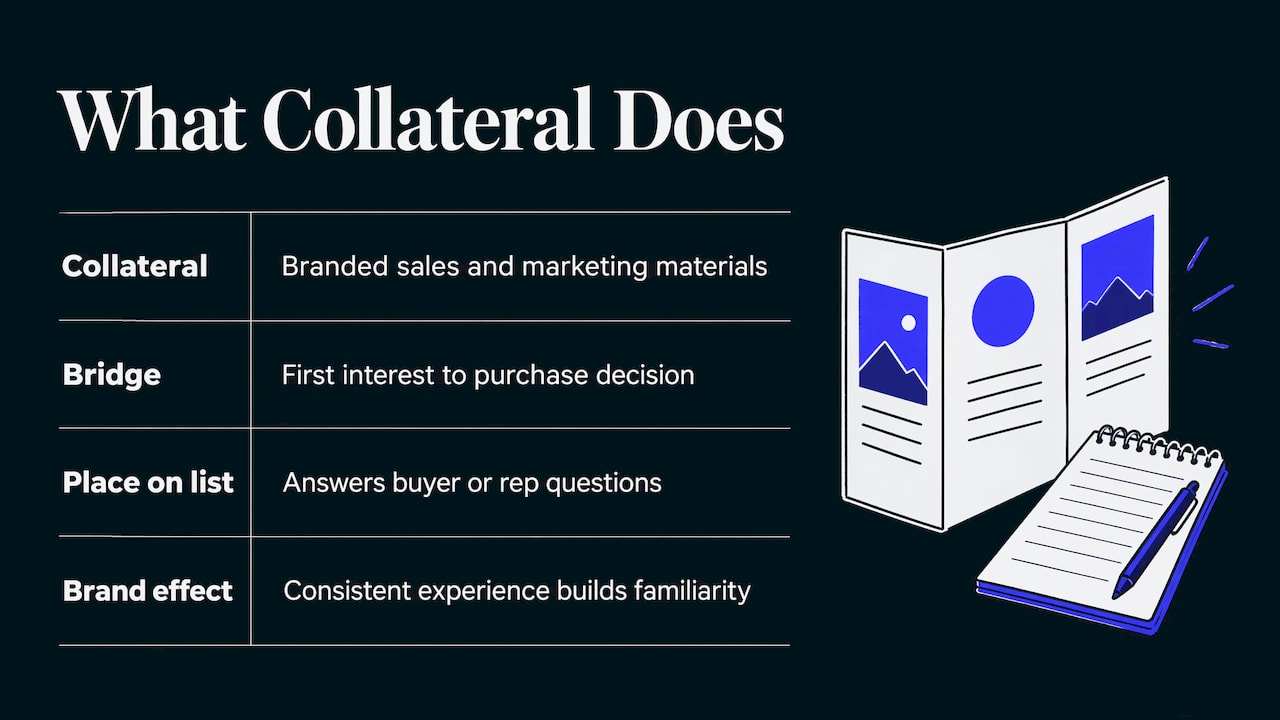
HubSpot defines marketing collateral as the branded materials and content assets that support sales and marketing, including brochures, case studies, white papers, product sheets and presentations. In the same glossary it describes collateral as a bridge between a prospect’s first interest and the final purchase decision.
That bridge idea is the practical test for your own list. A piece earns its place when it answers a question a buyer or a sales rep actually has. Mailchimp groups the purposes into brand awareness, lead and sales generation, credibility and trust, and customer engagement and retention. Salesforce adds that professionally designed collateral creates a consistent brand experience that builds familiarity over time.
For a B2B marketing team or an event organizer, this means collateral is not decoration. It is the material your sales team forwards, your booth displays and your website relies on when you are not in the room.
The marketing collateral list by format
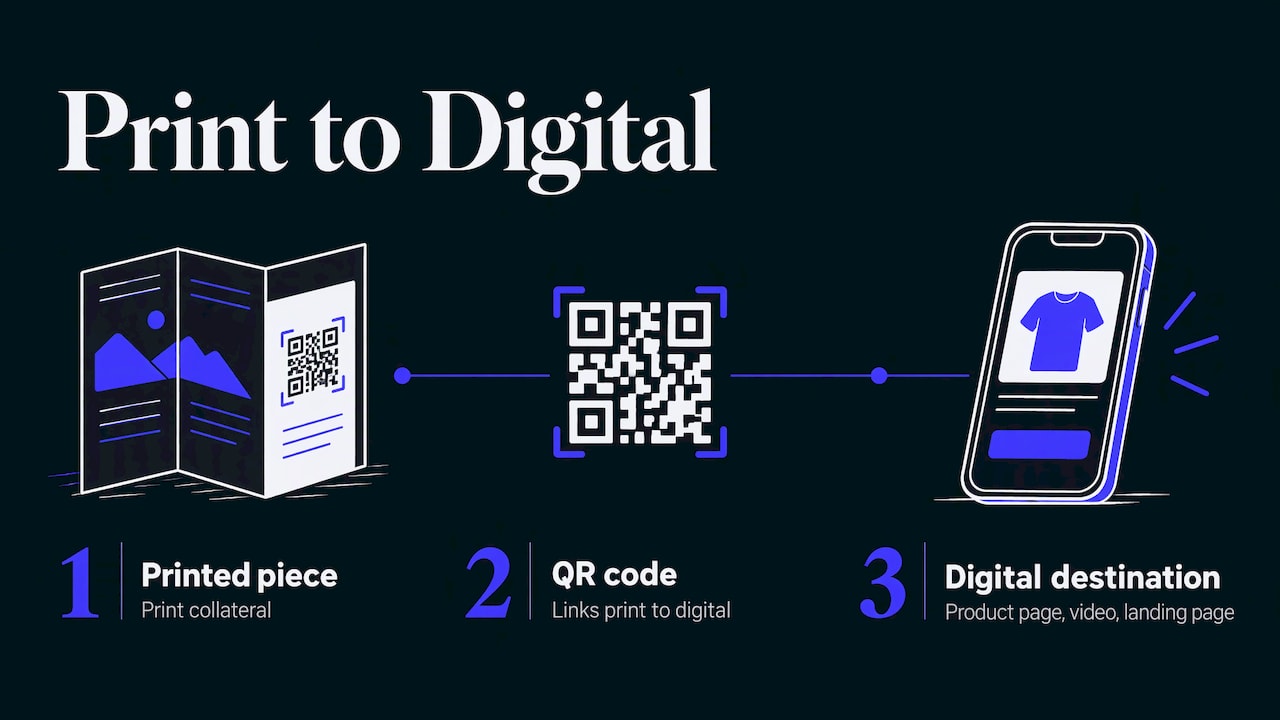
The simplest way to build a list is by format. Shopify separates print and digital collateral, and the two now work together, for example through QR codes that link a printed piece to a product page, a video or a landing page.
Print collateral
Print still earns its place at trade shows, in-person meetings and direct mail. Shopify lists these common print pieces:
- Brochures and sell sheets
- Business cards
- Direct mailers
- Promotional products
- Displays
Add to that signage, banners, booth graphics and printed leave-behinds for events. Print needs more planning up front, since every revision means a new run.
Digital collateral
Shopify’s digital list includes blog posts, web pages, videos, emails, case studies and white papers, and sales presentations. It suits campaigns that need frequent updates, wide geographic reach or performance tracking such as click and open rates.
Extend that with social media graphics, email templates, downloadable guides, one-pagers, webinars and product demos.
Video and photography
Video and photography cut across both formats, which is why they deserve their own line on the list:
- Brand film or brand story: the core explanation of who you are and why customers choose you.
- Explainer or product video: shows how an offering works in a minute or two.
- Customer testimonial video: a buyer in their own words.
- Event recap and highlight reel: proof that your events are worth attending or sponsoring.
- Social cutdowns: short vertical edits drawn from longer films.
- Corporate headshots and team photography: used on websites, proposals, speaker pages and press kits.
- Product and commercial photography: used on sell sheets, catalogs, ads and landing pages.
Our guides on corporate video types and corporate video formats go deeper on when to use each.
Brand foundation pieces
Under every other item sits the identity: logo, color palette, typography and the rules for using them. Without these, each new piece is designed from scratch and the set drifts apart. See brand guidelines examples for what a working rulebook contains.
The list by buyer stage
A list by format tells you what exists. A list by stage tells you what to build. The Product Marketing Alliance advises matching collateral to the buyer’s journey: early content educates about a problem, while later material helps buyers evaluate a solution and feel confident enough to win internal approval.
| Stage | Buyer question | Collateral that answers it |
|---|---|---|
| Awareness | Who are you and what problem do you solve? | Brand film, social video, infographics, blog posts, event signage, business cards |
| Consideration | Do you really know this field? | Case studies, white papers, explainer videos, webinars, brochures, product demos |
| Decision | Can I justify choosing you? | Customer testimonials, proposal decks, pricing sheets, FAQs, battle cards for sales reps |
| After the sale | How do I get the most from this? | Onboarding guides, tutorial videos, newsletters, event invitations |
Pipedrive’s sales collateral guide makes the same point: collateral generates leads at awareness, demonstrates expertise during consideration and builds confidence at the decision stage.
Sales collateral examples
Sales collateral is the subset your reps use directly. Zendesk lists brochures, catalogs, direct mail, sales sheets, datasheets, case studies and white papers as the traditional examples, alongside presentations, webinars, demos, FAQs, email templates and videos on the digital side.
One format worth adding is the battle card. HubSpot describes it as a concise, scannable document, often a single page, that helps reps handle competitive conversations, answer objections and highlight differentiators. It is an internal tool, so it rarely needs polished design, but the claims on it should match what your public materials say.
Salesforce notes that good collateral supports sales teams by ensuring consistent messaging and giving reps what they need on hand. In practice, the strongest sales sets contain:
- A one-page overview that a prospect can skim in under a minute.
- Two or three case studies, ideally one with a video version.
- A short brand or product video the rep can drop into an email.
- A proposal or presentation deck that reuses the same visuals.
- Current headshots of the people the buyer will meet.
For B2B teams, B2B video campaign examples show how these pieces combine into a demand-generating sequence.
Event collateral examples
Events are where print, digital and video collateral meet. Two U.S. trade events show what organizers hand exhibitors. The CAMX exhibitor toolkit includes official exhibitor logos in several file formats, co-branded web ads and a digital invite tool. SCTE’s TechExpo toolkit offers social graphics, event logos and hashtags, sample posts, web banners and an email banner, along with a suggested posting timeline for before, during and after the show.
From those examples, a practical event list looks like this:
- Before the event: invitation emails, landing page, social graphics, a teaser video, speaker headshots.
- At the event: booth graphics, printed handouts, signage, screens looping a brand or product video.
- After the event: a highlight reel, photo galleries, recap emails, short clips of speakers and sessions.
The after-event pieces are the ones teams most often skip, and they are the ones that keep an event working for you months later. Event videography and photography produce them as a by-product of coverage, so they need to be planned before the day, not requested afterward.
Pentair’s brand standards state that consistent branding of all trade show applications is critical to a unified visual aesthetic, and that only approved art should be used. The same discipline applies to the footage and photos you commission: they should follow your guidelines for logo use, color and tone.
Why video belongs near the top of the list
Most collateral lists put video near the bottom, as an extra. For many B2B and event teams it works better as the source from which other pieces are cut.
Amazon Ads makes the case through a simple example: a video of friends and family at a backyard barbecue shows an audience the memories they could make, while a logo beside a product photo only says a grill is for sale. The principle holds for B2B. A customer on camera describing a result does more than a bullet list of features.
One well-planned shoot can yield:
- A two-minute brand film for the website
- Several 15 to 30 second cutdowns for social channels
- Stills and headshots for decks, proposals and press kits
- Clips for sales emails and event screens
- Frames for ads and landing pages
Short-form social video in particular rewards planning around each platform. A short-form social video approach built for fast-scrolling audiences is a useful companion to a longer brand film. Our own page on social media video production covers how longer films get adapted for each channel, and for paid placements see Google Ads video production.
Designing collateral that works
A long list only helps if each item is well made. Shopify’s design advice boils down to a few habits:
- One value proposition per piece. Each piece should lead with a specific benefit.
- Clear visual hierarchy. Headline first, supporting details second, call to action last.
- One explicit call to action. Do not ask the reader to do three things.
- Consistent brand rules. Apply logo placement, color palette and typography the same way every time.
Those points come from Shopify’s collateral guide. Adobe-style multi-format advice is similar: choose the format by audience and tactic rather than pushing one format into every channel. A postcard reads fast, a brochure informs, a social video catches attention and an email nurtures. A brochure pasted into a web page rarely works, so rework the content for each channel while keeping the same core promise.
For video and photo collateral, add three practical checks:
- Define the use before the shoot. Decide which channels need what formats and aspect ratios, so crews capture for all of them in one day.
- Write the brief against a business goal. A lead-generation film and an employer-brand film need different scripts.
- Plan the edit set. Ask for the master film, the cutdowns and the stills as one package.
How to build your own marketing collateral list
A short, repeatable process beats a giant wish list.
- Audit what you have. List every brochure, deck, video and template in use, and note the date of each.
- Map each piece to a stage. Use the table above. Gaps usually show up at the consideration and decision stages.
- Choose a core set. Most B2B companies can start with a one-pager, a brand film, two case studies, a deck, current headshots and a set of social cutdowns.
- Add event and campaign pieces by calendar. Work back from each event or launch date. A product launch video is a typical campaign-level addition.
- Write the guidelines down. Put the logo, colors, typography and tone rules in one place, so every contributor produces matching work.
- Review twice a year. Retire outdated pieces and update claims, numbers and photos.
Where we help with your collateral
Video and photography are the formats that take the most coordination: crews, locations, scripts, edits and delivery. We produce corporate and marketing video, event videography and event photography, corporate and marketing photography, video editing, ad creative and brand storytelling, and our network of professionals across the country supports shoots in major cities. Our approach is built around return on investment, turning creative work into leads and growth.
If your list has gaps at the awareness, consideration or event stages, our video production and photography teams can build the pieces that fill them.

To discuss a project, start from V2 Visuals.
Our perspective
We approach collateral as a system, not a pile of separate deliverables. Every brochure, deck, ad and event screen should say the same thing in the same visual language, and the quickest way to get there is to capture strong footage and photography once, then use it everywhere.
Our work starts with the business goal: what the audience needs to believe, what you want them to do next, and which pieces carry them there. We think in terms of return on investment, so a brand film is planned alongside its cutdowns, stills and event uses before anyone picks up a camera.
Events are the clearest example. A conference or product launch is a concentrated chance to create video and photo assets, from speaker clips to attendee reactions. Treated as collateral, that coverage keeps working in sales emails and on your website long after the lights go down.
Brandon V
FAQ
What is the difference between marketing collateral and sales collateral?
Marketing collateral is the wider set of branded materials that promote your company at every stage, from awareness to loyalty. Sales collateral is the part your reps use in conversations and deals, such as case studies, decks, sales sheets and battle cards. Most teams build the two from the same brand and message foundation.
How many types of marketing collateral does a business need?
There is no fixed number. Guides list anywhere from a handful to more than a dozen types, and the right count depends on your buyers and sales cycle. A practical starting set is a one-pager, a brand video, case studies, a presentation deck, team photography and social cutdowns, with event pieces added as needed.
Is print collateral still worth making?
Yes, in the right settings. Shopify notes that print suits trade shows, and QR codes can connect a printed piece to a video or landing page. Use print where people meet you in person, and digital where you need fast updates and tracking.
Which marketing collateral works best for events?
Events need a mix: invitations and social graphics before, signage, booth graphics and screen-ready video during, and highlight reels and galleries after. Event organizers such as CAMX and SCTE supply logos, banners and social graphics to exhibitors, which you can pair with your own video and photo assets.
Sources
- HubSpot: Marketing Collateral definition
- Mailchimp: What is Marketing Collateral?
- Salesforce: Marketing Collateral guide
- Shopify: Marketing Collateral types, examples and tips
- Product Marketing Alliance: Creating sales collateral that speaks to buyers
- Pipedrive: Examples of sales collateral
- Zendesk: How to create effective sales collateral
- HubSpot: How to use battle cards
- CAMX: Exhibitor Marketing Toolkit
- SCTE TechExpo: Marketing Toolkit
- Pentair: Brand Standards
- Amazon Ads: What is Marketing Collateral?